
Digital content in this industry has been climbing by double digits each year, a trend that makes competition fiercer and opportunity bigger.
You’ll define what “growing” means for your site: more search visibility, more returning readers, and a clear path to monetization. A deliberate travel blog structure is the foundation that supports all three outcomes.
Growth is compounding and slow at first. Start publishing now and iterate — as Lynne Lessard advised — because search engines can take weeks to index and months to reward pages. Some posts only take off years later.
This guide previews a repeatable framework: niche → search intent → pillar pages and clusters → navigation → reusable post templates → E-E-A-T signals → SEO layout → media optimization → distribution and measurement.
Follow practical steps that speed decisions and cut endless redesigns. A well-organized site helps your audience find answers fast, click deeper, and trust your content — all key inputs to long-term SEO gains.
For a deeper look at headline and keyword tactics, see a practical how-to guide on writing effective posts.
Define what “structure” means for a travel blog that grows
How you organize pages and posts determines whether search engines and people find your work useful.
Site level organization names the main hubs: home, hubs, categories, guides, about, and contact. This architecture helps search engines crawl and map relationships between pages. Clear groupings make topical relevance obvious.
Site vs. content vs. SEO
Content layout refers to the internal flow of each post: headings, maps, costs, timing, and FAQs. That layout improves readability and keeps people on the page longer.
SEO signals are the metadata and on-page elements — title, headings, URL, image alt text, internal links, and schema-ready formatting. These signals help search match your pages to queries.
How organization supports visibility, UX, and trust
- Visibility: internal links and hubs build stronger relevance than isolated posts.
- User experience: visitors land from search, scan headings, click related content, and return when navigation is predictable.
- Trust: consistent formatting, clear sourcing, and full details reduce thin-content concerns and increase credibility.
| Layer | Primary elements | What engines read | Benefit |
|---|---|---|---|
| Site | Hubs, categories, menus | Hierarchy, internal links | Better crawlability |
| Content | Headings, maps, FAQs | Readable sections | Longer engagement |
| SEO | Titles, URLs, schema | Matching intent | Improved rankings |
Start with your why, goals, and the reader you want to attract
Start by naming the core reason you write and the audience you want to reach. That one-line why becomes your north star and helps you choose topics without second-guessing.
Turning “just for fun” into a simple plan you can stick to
Lynne Lessard suggests keeping a lightweight business-style plan to make decisions easier.
“Clarify your why with a lightweight plan.”
Create a one-page why that lists your top goals for the next 6–12 months. Pick a realistic output, one repeatable post template, and a narrow set of themes you can cover deeply.
Choosing growth goals: traffic, community, or monetization over time
Different goals change how you publish. Traffic-first work favors search-focused hubs and long-tail keywords. Community growth leans on email and personal voice. Monetization needs commercial posts and clear CTAs.
- Define your target audience in one sentence: who they are, where they go, and what limits them.
- Set timeline expectations so you give efforts enough time to compound.
- Stay flexible—adjust the plan as your life, analytics, and opportunities evolve.
Pick a niche that makes your travel blogging clearer and more searchable
Choosing a clear niche turns scattered ideas into a searchable body of work.
A focused niche narrows your topical authority so search engines and readers know what you’re about. That clarity helps indexation and improves click-throughs from results.
Examples that perform well include budget, family, solo, outdoors/adventure, and under-the-radar neighborhood guides. Each niche naturally produces certain post types:
- Budget: cost breakdowns, money-saving checklists.
- Family: stroller-friendly itineraries and tips for kids.
- Solo: safety guides and ways to meet people.
- Outdoors: gear lists, trail logistics, permit notes.
- Under-the-radar: neighborhood stories and local eats.
How niche shapes categories and branding: a budget site can use Costs, Free Things, and Where To Stay. An outdoors site uses Gear, Trails, and Permits. Brand less on logos and more on tone, topic focus, and consistent post formats.
Document your lived experience—languages, accessibility needs, ecotourism values—to make the niche real and defensible.
- Can you list 30 post ideas in this niche?
- Can you cover it sustainably or via research?
- Does it fit the audience you want?
Map your content to travel search intent and the travel buying journey
Map each piece of content to a stage in the buying journey so every post has a clear job. This makes it easier for you to plan what to publish and when to promote it.
Dreaming content wins broad informational searches: seasonal inspiration, “best time to visit,” or “where to go in winter.” These pages inspire readers and feed them into deeper destination guides.
Planning content targets long-tail queries: transport options, neighborhood choices, safety, accessibility, packing lists, weather, and sample itineraries. These posts solve real problems before booking.
Booking pages can monetize. Create honest comparisons (hotel areas, tour platforms), “is X pass worth it” guides, and affiliate-friendly resources. Focus on helpful advice, not hard sells.
Experiencing content keeps readers during their trip. Publish step-by-step transit guides, opening-hour patterns, timing tips, and common mistakes to avoid. These earn saves and return visits.
Sharing content builds community: photo spots, recap journals, lessons learned, and downloadable checklists. These encourage readers to subscribe and spread your work.
| Intent | Best formats | Primary goal |
|---|---|---|
| Dreaming | Listicles, guides | Inspire |
| Planning | Itineraries, how-tos | Help plan |
| Booking | Comparisons, reviews | Support decisions |
| Experiencing | Transit guides, tips | Improve the trip |
Match formats to intent so you stop forcing every idea into the same mold. Use guides, itineraries, listicles, comparisons, and journals in a balanced plan.
“Assign a clear job to each article and let the reader’s need guide the format.”
Build your travel blog structure around pillar pages and topic clusters
Turn major destination pages into organizing hubs that guide readers through your best content. A well-crafted hub acts like a table of contents and keeps related posts discoverable.
Creating destination hubs that organize your best posts
Each hub should include a scannable overview, quick facts, best time to visit, a map section, and curated links to deeper posts. That page becomes the primary place visitors land when they want the full picture.
Supporting clusters: logistics, neighborhoods, food, and seasonal angles
Build clusters of focused posts that back up the hub. Examples: airport transfers, public transit, neighborhoods, where to stay, food guides, seasonal events, day trips, and budget breakdowns.
- Linking rules: hubs link out to clusters; clusters link back to the hub.
- Cross-link clusters only when it helps the reader finish their plan.
- Avoid orphan posts by assigning each new post to a hub and adding 2–5 relevant internal links.
Why this helps SEO: the pillar-and-cluster model strengthens topical authority, improves crawl paths across the site, and makes indexing more efficient for search engines. This strategy turns scattered pages into a network that both users and crawlers can follow.
Design navigation and categories that help readers and search engines
Design your navigation around the paths real people take when they arrive on your pages. That focus keeps your website usable and helps search engines map intent across the site.
Header and footer navigation that stays simple
Keep the header minimal: Destinations (or Regions), Travel Style/Niche, Blog, About, Start Here, and Contact. These labels are short and tap-friendly for mobile.
Use the footer for secondary links: legal pages, newsletter signup, top hubs, and social icons. This preserves your main menu for the audience you want to guide.
Category and tag rules that prevent clutter
Make categories large buckets like regions or styles and use tags for attributes: season, budget, or trip length. Limit categories to a small set you can fill with quality posts.
Too many categories or tags confuse readers and dilute internal linking signals. Archive or merge thin categories and keep labels consistent so people can browse without friction.
| Element | Purpose | Best practice |
|---|---|---|
| Header | Primary paths for readers | 5–7 short links, mobile-first labels |
| Footer | Secondary resources | Legal, newsletter, hubs, social |
| Categories | Topical buckets | Keep 4–6 realistic categories |
| Tags | Attributes & filters | Use sparingly; avoid duplicates |
Create a consistent blog post template you can reuse
A predictable post format saves you time and helps readers find key facts fast. Use one template for all your guides so publishing becomes a routine, not a rewrite.
Recommended section flow for guides and how-to posts
- Quick answer summary — the one-line takeaway.
- Who it’s for — audience and use cases.
- Map / area orientation — place the map near the top.
- Step-by-step plan or itinerary.
- Costs — skimmable bullets or a mini table.
- Timing — how long, best time of day, transit durations.
- Tips & common mistakes.
- Where to stay and short recommendations.
- FAQs and next steps with internal links.
Where to place maps, costs, timing, and “what to know before you go” details
Place an overview map near the top so readers orient quickly and don’t scroll aimlessly. Add a second embedded map beside neighborhood or itinerary sections for local detail.
Show costs in a compact list or mini table. Note the season, year, and currency you used so readers can trust the numbers. For timing, list total time needed, best hours to visit, and typical queue lengths.
Visual patterns and media
Break posts with original images and screenshots only when they add value. Use callout boxes for “What to know before you go,” icons for transport notes, and a standard CTA block to keep posts cohesive. These small choices improve readability and the usefulness of every post you publish.
Use E-E-A-T to structure posts around real experience, not generic tips
Make your firsthand experience the main signal that proves your value to readers. Google rewards content that shows real actions, clear sourcing, and balanced judgment.
What to include to show firsthand credibility
- When you visited and exact routes you took.
- What you paid and quick receipts or ranges.
- Original photos that match steps you describe.
- Short micro-notes in sections (where the line starts, signage, surprises).
How to be honest about pros and cons to build trust
Write pros and cons linked to traveler types so readers self-select. Keep entries specific: timing, cost, accessibility, and who benefits most.
| Aspect | Pros | Cons |
|---|---|---|
| Timing | Fewer crowds in morning | Limited transport after sunset |
| Cost | Free entry certain days | Peak season prices triple |
| Fit | Great for active readers | Not ideal for those with mobility limits |
This might not be for you if… Add a short line that prevents mismatched expectations and reduces complaints.
How I researched this: Note when you used sources instead of firsthand visits. That clarity protects trust and keeps your writing honest.
Plan your SEO layout before you write
Treat each post like a search-led outline: pick the target query, confirm intent, and map headings so your page answers what people actually ask.
Titles that earn clicks and set expectations
Write meta titles under ~60 characters and meta descriptions under ~155 characters. Aim for a 10–13 word headline when appropriate to match SEMrush guidance. Be specific: destination + promise + qualifier (season, budget) avoids bait-and-switch.
Headings that scan well and reflect how people search
Use H2s for main subtopics people expect (costs, neighborhoods, transit, best time) and H3s to answer follow-up questions. Clear headings improve readability and signal intent to search engines.
Clean URLs and linking
Keep URLs short, hyphenated, and keyword-aligned. For internal linking, design pathways from broad hubs to detailed logistics and decision pages so readers move naturally across your website.
External links and credibility
Link to authoritative sites—official transit pages, parks, or museum hours—only when it improves accuracy. These external links strengthen trust and support your firsthand content.
Optimize images and media for speed, accessibility, and discoverability
Images and media shape how fast your pages load and how long readers stay. Slow assets reduce engagement, and lower engagement can hurt your seo outcomes. Treat media optimization as structural work, not a cosmetic task.
Alt text best practices for travel images
Write alt text that describes what’s visible and why it matters. Use the place when it adds context, but avoid stuffing keywords. Keep it natural and helpful for screen readers.
“Describe the photo, include location when relevant, and keep alt text concise.”
Compression, filenames, and mobile-friendly performance
Filenames should be descriptive and consistent: destination-activity-descriptor.jpg. Clear names help organization and can aid discoverability without spam.
Compress before upload. Resize images to the largest display size you actually use and test on mobile connections. Use lazy load and next-gen formats when your hosting and tools support them.
| Task | Why it matters | Quick rule |
|---|---|---|
| Filename | Organization & discoverability | destination-activity-descriptor.jpg |
| Alt text | Accessibility & image understanding | Describe image + place if helpful (20–125 chars) |
| Compression | Page speed on mobile | Resize, compress, test on 3G/4G |
| Captions | Context for readers | Use only when value is added (prices, directions) |
Quick media checklist before publishing:
- Format: choose JPEG/WEBP/PNG by need.
- Compression: resize to display size and compress offline or with tools.
- Alt text: clear, descriptive, non-stuffed.
- Lazy load: enable for below-the-fold assets.
- Placement: keep images near related text so the page scans well.
Run a final check with performance tools and confirm the page loads fast on mobile. Fast pages help both readers and your website’s discoverability.
Choose a platform, domain, and hosting setup that won’t limit growth later
Pick a launch stack that gives you control without high upfront costs. Start with a domain, a publishing system (WordPress.org or a builder like Squarespace), and hosting if required.
Minimum viable setup:
- Domain name with clear URLs.
- A CMS or builder you will use weekly.
- Hosting that supports speed, backups, and mobile templates.
What “won’t limit growth later” means: clean URL control, fast page speed, easy category and hub creation, and the ability to add SEO essentials and plugins.
Set up GA4 and Google Search Console right away to track indexing, queries, and performance. These free tools help you make smart content choices early.
“Keep expenses low at first; spend on publishing quality rather than perfect design.”
Budget reality: you don’t need premium themes or courses to start. Choose the platform that lets you publish consistently — consistency beats complexity over years.
For guidance on picking a platform, see this best blogging platform guide.
Create a publishing cadence you can sustain for the long term
Drafting a realistic publishing pace is the single habit that keeps your content plan alive for years.
Find the quality vs. quantity sweet spot by matching output to your available time and resources. Fewer, deeper guides often win more traffic and links than many short pieces. Focus on durable content that plugs into your hubs and helps authority grow.
Choose a cadence you can keep for years, not weeks. Options that work for many creators:
- One high-value post every two weeks — minimal viable consistency.
- Two posts per month — good balance for research-heavy topics.
- One post per week or seasonal sprints when you can dedicate blocks of time.
Batch tasks to save time: outline, write, edit, optimize images, and add internal links in separate sessions. Batching reduces context switching and makes publishing predictable.
Remember the SEO trade-off: volume helps you learn what ranks, but steady publishing builds reader expectations and topical authority. Prioritize quality when your travel frequency or hours are limited.
| Cadence | Who it fits | Benefit |
|---|---|---|
| 1 post / 2 weeks | Single creator with limited time | Consistent growth; sustainable over years |
| 2 posts / month | Small team or focused creator | Good mix of research and output for traffic |
| 1 post / week | Full-time creators or seasonal sprints | Faster testing and faster ranking feedback |
| Seasonal sprints | Irregular travel schedules | Burst updates tied to trips; conserves resources |
“Adapt your plan when life changes, but keep a minimum level of output you can meet.” — Lynne Lessard
Write as you go to capture details that make posts more valuable
Record steps and screenshots in real time to turn fleeting observations into useful content. This habit saves you time and keeps facts accurate because logistics decay fast.
Why it matters: exact station names, ticket types, price ranges, wait times, and confusing signage are easy to forget. Lynne Lessard calls real-time writing a game-changer for logistics-heavy posts and notes she used Google Keep on trips to capture notes and context photos.
What to document in real time
Quick list: transit steps, station entrances, ticket screenshots, operating hours, actual wait times, and friendly or confusing signs. Screenshots from booking apps often answer reader questions faster than paragraphs, but blur personal data before saving.
Simple capture system
Use one notes app for bullet logs and one photo album per place. Adopt a naming convention—YYYY-MM-DD_place_short—to find assets fast. This workflow turns your live experience into stronger E-E-A-T and richer content that satisfies search intent and adds clear value.
“Write on the move; the details you catch now become the facts that set your guides apart.”
Build distribution into your structure with email and social media
Plan how your posts find readers beyond search by baking email and social channels into every page. This makes promotion repeatable and turns first-time visitors into returning readers.
How newsletters support repeat traffic without algorithms
Place clear signup forms in the header, footer, and mid-post. State a simple promise: what you send and how often. Use a short welcome email that links to your best hubs so new subscribers instantly find value.
Repurposing posts into social content without starting from scratch
Work smarter: turn one guide into multiple formats that point back to the post.
- Short carousel outline for Instagram or LinkedIn that highlights 4–6 tips.
- Reel / TikTok script: 30–60 seconds, hook, 3 quick steps, CTA to read more.
- Pinterest pin set: vertical images with keyworded descriptions linking to the guide.
- Newsletter “mini itinerary” or checklist that sends readers back for details.
Match social series to pillar pages so your social media posts reinforce your main hubs. Destination-based series help your audience remember what you cover and create clear pathways from feeds to site pages.
“Newsletters offer algorithm-free access to people who already want your content.”
Community growth unlocks long-term opportunities like partnerships, backlinks, and collaborations that support organic search gains and steady traffic.
Measure what’s working with Google Analytics and Search Console
If you measure the right things, you can link actions to results and grow predictably. Use Google Analytics (GA4) and Google Search Console as your primary tools. These two tools show visitors, page views, time on page, and engagement so you can focus on what moves the needle.
Metrics that reveal growth: traffic, time on page, and engagement
Set a rhythm: quick weekly checks and a deeper monthly review. Track traffic by landing page, time on page, pages per session, and scroll depth when available.
Define core engagement metrics so you know whether your audience reads, clicks internal links, and returns.
SEO indicators: keyword rankings, indexing, and backlinks
Use Search Console to see which queries show your pages, impressions vs. clicks (CTR), and which pages are indexed. Watch keyword movement and new backlinks as signs of rising topical authority.
Tracking outcomes: newsletter signups and affiliate clicks
Measure outcomes tied to goals, not vanity numbers. Track conversion rates for newsletter signups and affiliate clicks if your aim is money or community growth.
| Area | Metric | Why it matters |
|---|---|---|
| Acquisition | Visitors, traffic sources | Shows who finds your pages and where to invest promotional effort |
| Engagement | Time on page, pages/session | Measures usefulness and internal linking success |
| SEO | Rankings, indexing, backlinks | Signals visibility and content authority |
| Outcomes | Signups, affiliate clicks, conversion rate | Connects content to audience growth and money |
Annotate major changes (new hub pages, internal-link updates, title rewrites) so you can tie improvements to specific actions. With consistent measurement, you’ll know which edits earn better search placement and which push real revenue.
Refresh and improve older posts because SEO is a marathon
Small, regular edits to existing content often outpace brand-new posts for rankings. You should schedule reviews so effort compounds over time instead of forcing constant new publishing. Lynne Lessard recommends revisiting underperforming posts that are 3–6 months old and making targeted improvements.
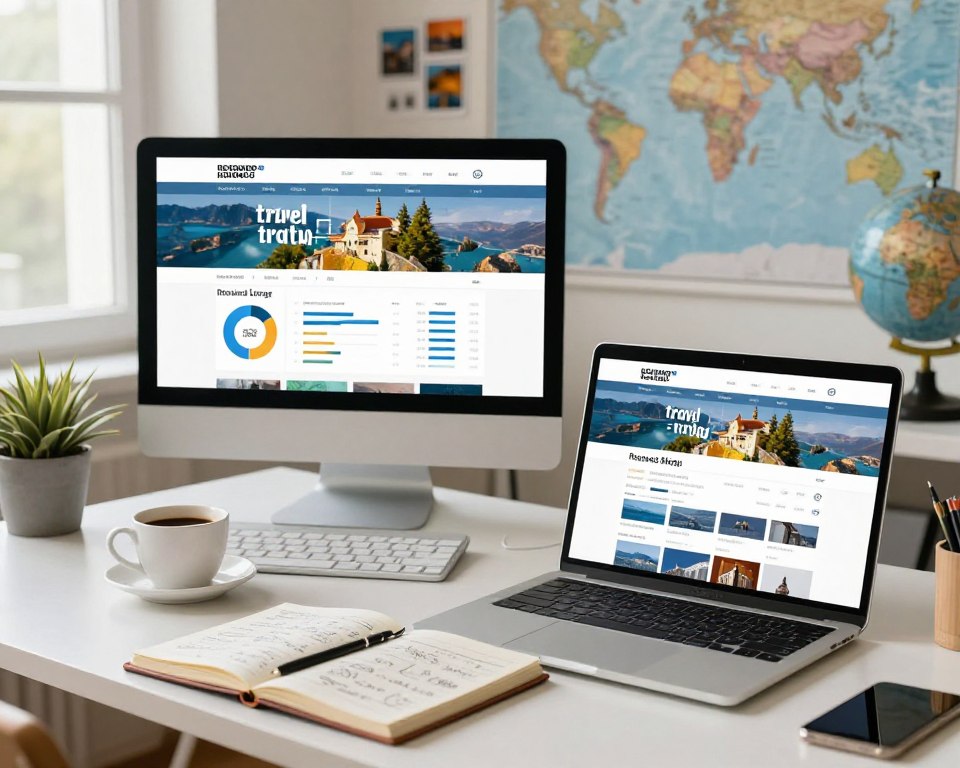
When to update: the 3-6 month optimization window
The 3–6 month window gives you enough data from search engines and user behavior to judge whether a post will rank. At this point you have impressions, clicks, and session metrics to guide edits.
Why wait: indexing and early ranking signals need time to settle. This avoids wasting time on pages that still need natural search momentum.
What to change: titles, subheadings, sections, and internal links
Focused edits often make the biggest difference. Tighten meta titles for intent and clicks, rework H2s for clearer scanning, and rewrite weak sections to boost E-E-A-T with updated facts or photos.
- Update prices, transit steps, and seasonal notes so your content matches current experience.
- Improve headings for clear answers and add missing logistics or FAQs readers expect.
- Strengthen internal linking to hubs and related posts to lift discoverability and navigation.
- Prune or merge thin posts into stronger hubs when topics overlap.
| Action | Why it helps | When to do it |
|---|---|---|
| Tighten title | Improves CTR from results | First pass at 3 months |
| Rewrite sections | Boosts E-E-A-T and usefulness | 3–6 month review |
| Add images & prices | Refreshes experience signals | As facts change |
| Internal linking | Guides crawlers and readers | During every update |
“Revisit underperforming posts after a few months and prioritize changes that add real value.”
Track before-and-after results in Search Console and GA4 so you know which edits moved the needle. SEO wins can take months or even years, so record changes and monitor metrics over time.
Quick tip: maintain a simple update log for each post and test one major change at a time so you can link cause to effect. These small, steady edits are the practical way to grow content authority over years.
Conclusion
Start with a clear, tiny plan you can finish in seven days. Define your goals, pick a niche, map content to intent, and outline one destination hub with three cluster posts.
Make a reusable post template so every page follows the same way of delivering facts, costs, maps, and FAQs for readers. This system turns scattered pages into a coherent site that search engines and people can trust.
Next 7 days: draft navigation, sketch one hub, list three cluster topics, create the template, and publish the first guide. Don’t wait for perfect branding—publish and iterate.
Long game: measure results, refresh older content, and keep building internal links so each new post strengthens the whole travel blog and its structure over time.