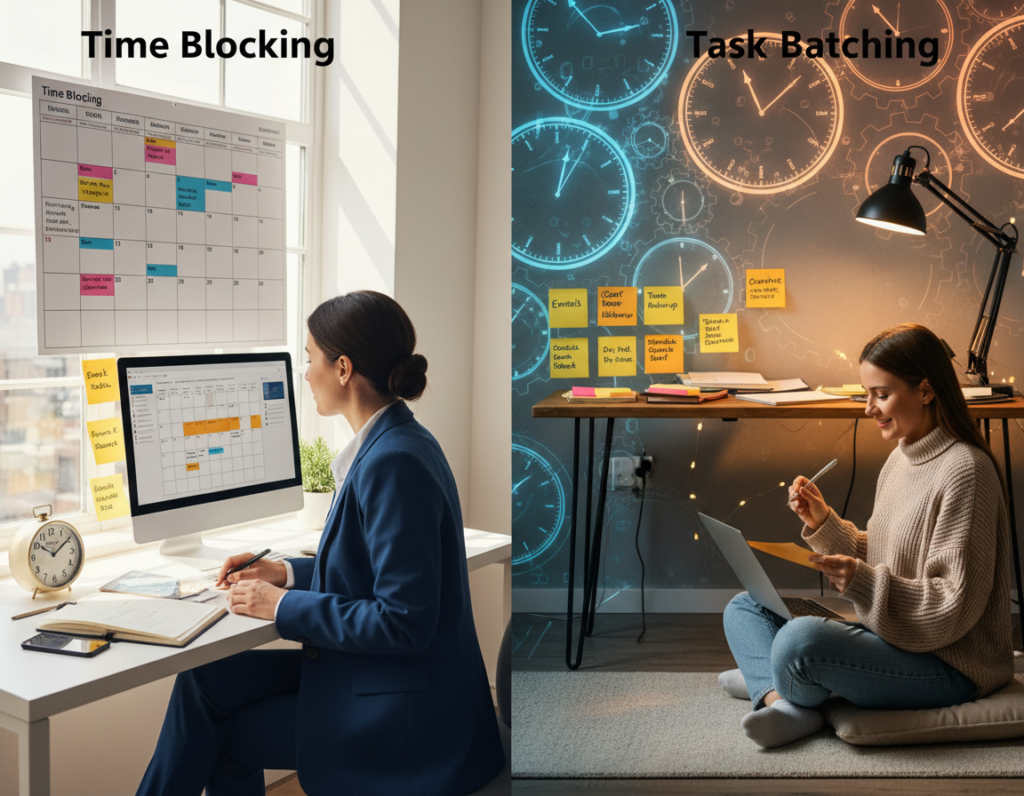
Nearly 80% of common tips never change how people work. That surprising gap shows why quick fixes feel useful but rarely move the needle.
This article promises an evidence-based listicle that replaces vague tips with an operational system that aligns focus, energy, and measurable output.
Readers get a clear model, a diagnostic, and step-by-step build they can adapt to US workdays filled with meetings, email, and interruptions.
Most advice fails because it ignores distraction load, decision fatigue, and unclear definitions of “done.” The central thesis is simple: sustainable gains come from lowering friction and making what happens next obvious through a repeatable structure.
The guide defines measurable output as shipped drafts, merged PRs, and campaigns launched — not just staying busy. It stays tool-agnostic and favors methods that reduce tool overload.
Why Most Productivity Advice Fails in Real Workdays
Short tips break down when a typical workday reshuffles priorities and attention. Interruption load, micro-decisions, and tool friction turn neat advice into wishful thinking. The result: less shipped work and more unfinished items at day’s end.
Distraction load and context switching
Switching between Slack, browser tabs, and meetings fragments attention. Each quick check forces the brain to reload a task, which inflates cycle time and costs measurable minutes.
Decision fatigue by midday
After dozens of micro-decisions, people hit predictable fatigue. Telling someone to “prioritize better” fails unless priorities are pre-decided and filtered for the afternoon.
Overstuffed task lists and unclear done criteria
A long task list with vague next steps creates perpetual unfinished work. Without a clear definition of done, project items stall and planning becomes rehearse, not deliver.
Meeting creep, inbox creep, and tool overload
As calendars and inboxes fill, protected focus blocks vanish. Adding more tools often increases friction—duplicate entries, mismatched statuses, and constant re-planning.
- Concrete fixes this article will address: protect focus blocks, pre-decide priorities, enforce capture rules, and streamline tools into one coherent workflow.
What a Productivity System Actually Is (and What It Is Not)
A repeatable operating model is what makes weekly chaos measurable and improvable. It is a defined set of practices, guidelines, methodologies, and tools that externalize commitments and lower cognitive load.
Definition. A productivity system is an operating model that captures work, clarifies next actions, and creates a repeatable process for delivery. It turns intent into verifiable things done.
System vs. work style. The system provides the stable structure. A person’s work style — morning routines, batching, or analog notes — lives inside that frame and can change week to week.
Non‑negotiable stages
- Capture: collect inputs so memory stops being the source of truth.
- Clarify: make the next action explicit.
- Prioritize: choose impact over urgency.
- Schedule: map tasks into protected time.
- Execute: finish the work to a clear definition of done.
- Review: audit inputs, throughput, and backlog for improvement.
Practical note: This approach offers GTD-level clarity with less overhead. Tools are optional; the method works in a notebook, a kanban board, or sticky notes as long as the process is consistent and measurable.
The Focus-Energy-Output Model for Measurable Productivity
The Focus‑Energy‑Output model gives a practical lens to turn weekly effort into measurable results.
Focus protects attention by creating protected blocks, limiting notifications, and ending multitasking across projects. These design choices reduce attention residue so each block yields real progress.
Energy means matching tasks to cognitive load: schedule creative work when someone is freshest and batch lower‑effort admin later in the day or week. Time blocking and short sprints (Pomodoro or 90‑minute sessions) should map to task type.
Output is defined by artifacts: a shipped doc, a published page, or a merged pull request. Tracking done items forces clarity about what “finished” means.
| Indicator | What to measure | Weekly target (US) |
|---|---|---|
| Deep work hours | Calendar total of protected blocks | 8–12 hrs |
| Meeting hours | Calendar total | <15 hrs |
| Inbox processing | Admin blocks per week | 2–4 hrs |
| Done artifacts | Shipped items or merged PRs | 4–10 items |
Measurement is light: a weekly check‑in using calendar totals and simple kanban counts. Embed a credible “Deep Work and Time Blocking” explainer video near this model to anchor authority before tactical steps.
Diagnostic: Identify the Constraints Breaking the Week
Start by treating the week like a diagnostic lab: measure what breaks work before changes are made.
Run a problem audit for one week. List every recurring source of unfinished work at the end day. Do not edit the list; capture raw entries in quick notes.
Problem audit
Record when tasks stall and why. Note last-minute invites, urgent threads, or unclear next steps. Track these in a simple log of minutes lost and the visible cause.
Points of friction map
- Time scarcity: not enough focused minutes for real work.
- Distraction: interruptions that fragment attention.
- Wrong tool: tooling that adds friction, not clarity.
- Unclear next action: tasks lacking a definition of done.
Inbox and meetings audit
Mark the exact moments the day gets reallocated. Count how often meetings or inbox threads steal planned blocks.
Calendar reality check
Compare planned blocks to actual behavior for one week. Identify where tasks leak—focus blocks that become email time.
| Diagnostic | Metric | Weekly threshold |
|---|---|---|
| Focus block leakage | Hours turned into email/meetings | <25% of planned focus |
| Interruptions | Count per day | <6 |
| Unclear tasks | Tasks missing next action | <10 items |
Translate findings into process requirements: if meetings drive unfinished work, set meeting windows and buffers. If inbox is the drain, add processing windows and rules.
Choose one change to test for two weeks, log results, and iterate. The goal is to redesign the environment, not ask for more willpower. The next section converts this audit into a “what” list and scheduling plan.
Build a Productivity System That Starts With “What” Before “When”
Before any calendar blocks go down, list the concrete outputs that define a successful week. The What‑When method asks two questions: what must be completed and when it will be done.
Ruthless inclusion rules: each item on the what list must map to an objective or a measurable output. If it does not, remove it, assign it to someone else, or pause it as a test.
Create categories to reduce mental load
Use HABUT, Kaizen, Admin, Emergency, Meetings, and Personal to sort tasks. Categories prevent mixing deep work with shallow items and speed decisions midweek.
Refine and filter
Refine by elimination, delegation, or reverse‑piloting. Apply this impact filter: does the item create an artifact by Friday? Does it unblock other work? Is it uniquely suited to this role?
| Rule | Category | Refinement |
|---|---|---|
| Must link to objective | HABUT / Kaizen | Keep or split |
| Low impact | Admin / Meetings | Eliminate or delegate |
| Uncertain value | Personal / Emergency | Reverse‑pilot (pause) |
Real-world: a US marketer/founder starts Monday with a bloated list, gets meeting-heavy midweek, and ends Friday with half-done items. Rewriting the what list cut 40% of entries, delegated admin to someone else, and scheduled two HABUT artifacts into protected blocks.
Note: prioritization is a function of the system, not a moral test. Once the what list is clean, translate priorities into calendar blocks that survive interruptions.
Scheduling That Holds Up: Time Blocking and Calendar Blocking Without Rigidity
Scheduling that adapts to real interruptions turns intentions into finished artifacts. Translate the refined what list into calendar commitments so tasks stop living in “someday” and start producing measurable output.
What gets scheduled gets done
Block types matter. Use focus blocks for HABUT work, admin blocks for email and quick tasks, open buffers for emergencies, and personal blocks to recharge.
Right-size your blocks
Use Pomodoro sprints (25/5) for fragmented days or ramp-up minutes. Reserve 60–90 minute focus blocks for complex creation and problem solving.
Make blocking flexible
Schedule categories, not every task. During daily planning choose specific tasks inside a block. This cuts replanning and keeps the calendar useful.
Swap rules and meeting containment
When an urgent interruption arrives, it must displace a planned block—never stretch the week invisibly. Contain meetings into windows or capped days so focus blocks survive a typical US workday.
| Block type | Primary purpose | Typical length |
|---|---|---|
| Focus block | High‑impact artifact work | 60–90 min |
| Pomodoro sprint | Ramp up or fragmented work | 25 min |
| Admin block | Inbox, small tasks, triage | 15–45 min |
| Open buffer | Interruptions, quick followups | 30–60 min |
Measurement matters: track calendar totals for deep work and meetings each week. These simple metrics show whether the schedule actually improves output and the broader workflow.
Workflow Execution: Kanban + Task Capture to Stop Constant Replanning
Without a visible flow, people remake the same decisions all day and lose momentum. A compact execution model fixes that by making work visible, limiting active items, and turning vague lists into moving pieces.
A simple four-column board
Use Focus This Week, Working on Today, Waiting/Review/Discuss, and Incoming/New. Each column has a clear rule: what belongs and when to move an item.
Capture rule: the five-minute decision
If a task takes under 5 minutes, do it now. Anything longer becomes an Incoming item with context: urgency, due date, and a short definition of done.
Waiting states and WIP caps
Label stalled items as Waiting so they do not clog active flow. Cap Working on Today to 3–5 tasks to prevent multitasking and reduce management overhead.
Daily flow and notes
Keep a lightweight document that mirrors calendar blocks and lists the specific tasks for each block. Use it to take notes, capture decisions, and avoid midday replanning.
Embed suggestion: place a “Kanban basics for personal productivity” walkthrough near the board diagram to accelerate adoption.
| Control | Rule | Practical limit |
|---|---|---|
| Incoming/New | Capture with context | No limit (triage daily) |
| Focus This Week | Priority outputs for the week | 5–8 items |
| Working on Today | Active tasks for the day | 3–5 items |
| Waiting/Review/Discuss | Blocked or review-needed items | Surface in review meeting |
Email and Inbox Control: Inbox Zero as an Attention Management System
Inbox Zero is best defined as minimizing how much the brain spends reacting to messages, not just aesthetic emptiness.
Create two processing windows each day: a start‑day admin block and an end‑day admin block. These batches prevent constant context switching and protect focus blocks for measurable work.
The five‑step decision tree for every message
- Delete — remove irrelevant mail.
- Delegate — forward with a clear owner and due date.
- Respond — reply now if it takes under 5 minutes.
- Defer — schedule into a calendar slot.
- Convert to task — create a task with a next action and definition of done; move it to the board.
Compare two mornings: inbox‑first habits increase reactive minutes and fragment the day. Focus‑first routines produce artifacts before email noise grows.
| Metric | Target | Why it matters |
|---|---|---|
| Inbox time / week | <2 hrs | More deep work hours |
| Start/end admin blocks | 2 blocks/day | Reduces midday interruptions |
| Converted tasks | All actionable emails | Prevents open loops |
Roles needing constant reachability can set SLAs and an urgent channel. Track inbox time and correlate it with deep work hours and completed deliverables to prove improvement. The next section shows how this fits alongside other approaches rather than replacing them.
Choosing the Right Methods: Comparative Table of Popular Productivity Systems
Choosing the right approach makes the difference between lists that grow and lists that produce things done.

The table below compares common methods so readers can match a way to their role, load, and tools. Each row lists best use, core steps, ideal medium, strengths, and failure modes.
| Method | Best for | Core steps | Ideal medium | Strength / Failure mode |
|---|---|---|---|---|
| GTD | High task volume | Capture, Clarify, Organize, Reflect, Engage | Digital app or notebook | Strength: clarity; Fails: setup cost |
| ZTD | Habit focus | Simplify, Habitize, Capture | Paper or minimalist tool | Strength: low friction; Fails: weak for big projects |
| Ivy Lee | Daily focus | Top 6 tasks, finish in order | Paper list | Strength: constraint; Fails: neglects long-term work |
| Eisenhower / MoSCoW | Prioritization | Classify by urgency/impact or Must/Should/Could/Won’t | Board or list | Strength: decision lens; Fails: needs delegation to someone else |
| Kanban | Flow & projects | Visualize, Limit WIP, Pull | Sticky notes or digital board | Strength: shows bottlenecks; Fails: needs upkeep |
When paper or a simple to-do list wins: low task volume, few meetings, and steady habits. Use bullet journaling or sticky notes for quick capture and short cycles.
Practical tip: apply Eisenhower or MoSCoW as filters on the What list so prioritization is repeatable, not emotional.
Make It Stick: The Experimentation Loop That Keeps the System Working Over Time
Small, repeatable experiments keep a process alive when work and life shift unexpectedly.
Why decay happens: workloads change, new priorities appear, and rules that once fit stop matching reality. Without iteration, a promising workflow becomes brittle and ignored.
The productivity scientific method adapts the lab method: define one problem, propose one change, test for two weeks, observe results, take notes, and iterate without blame.
The two-week default
Two weeks balance signal and momentum. It is long enough to measure calendar and board changes, and short enough to avoid overhaul fatigue.
Minimal metrics dashboard
- Deep work hours — calendar total.
- Cycle time — kanban lead/throughput.
- Backlog size — incoming vs. done.
- Meeting hours — calendar total.
- Inbox time — admin block minutes.
Implementation cadence and governance
Hold a weekly review block to rebuild the what list, clean the board, and reschedule focus blocks. Add an end-of-day shutdown routine to capture tomorrow’s tasks and reduce rumination.
Governance rules: protect the sprint, cap WIP, and require a clear definition of done for high-impact work so metrics mean something.
| Step | Action | Duration |
|---|---|---|
| Define | Pick one problem and a proposed change | 1 session |
| Test | Run for two weeks, track metrics | 2 weeks |
| Review | Observe results, take notes, decide next step | Weekly review block |
Metrics show progress when they reduce stalled work, shorten cycle time, and increase finished artifacts — not when the calendar only looks busier.
For a repeatable walkthrough, watch the productivity experiments tutorial and embed a “How to run weekly reviews” video near the cadence checklist to boost adherence.
Conclusion
The proven path to fewer unfinished items is not motivation — it’s a repeatable, measurable productivity system.
Most advice fails because it ignores constraints. A compact approach aligns focus, energy, and output with clear indicators.
Non‑negotiables: capture, clarify, prioritize, schedule, execute, review. Use these steps to spot which stage breaks down.
Build sequence in practice: run the diagnostic, make a ruthless what list, schedule category blocks, run a four‑column kanban, and add two daily inbox windows.
Measure weekly: deep work hours, meeting hours, inbox time, cycle time, and backlog size convert feeling into evidence of progress.
Start next Monday: create the board, set two focus blocks, add two email windows, and run one two‑week experiment. Keep the system flexible so it adapts as work changes.